FOR FIRST-TIME RISOGRAPH PRINTINGPrepare black-only artwork, one plate for each ink color.
It may look complicated, but the basics are simple: choose your colors, separate the artwork by color, and adjust the black density. For a first project, one color or a simple two-color print is easiest to check.
To learn how Risograph printing works and what it is best suited for, see What is Risograph?
Three things to remember
A two-color print needs two plates; a three-color print needs three. In Illustrator, use one artboard per ink. For image files, save one file per plate.
Each plate is black only. Shades of gray control how light or dark the ink prints.
Use the same canvas size, orientation, artwork position, and crop marks for every plate.
Accepted artwork .ai / .psd / .pdf / .jpg / .png, hand-drawn or paper originals
Recommended resolution 300-600 dpi at actual size
How to prepare your data
Choose the finished size, paper, and ink
Start by deciding what you want to print and how many colors to use. At NOT GUTTER, you can choose from 20 ink colors. Paper color changes the result too, so it helps to choose paper and ink together.
For a full-bleed finish, print on paper larger than the finished size and trim it afterward. Add crop marks so the final trim position is clear.
Separate the artwork by ink color
No separation is needed for a one-color print. For two colors, make one plate for the first ink and another for the second. Where the inks overlap, a new color appears on paper. Decide which areas should overlap and which should stay separate.
Different densities printed with the same ink can stay on one plate. Keep the canvas size, orientation, and artwork position identical across every plate.
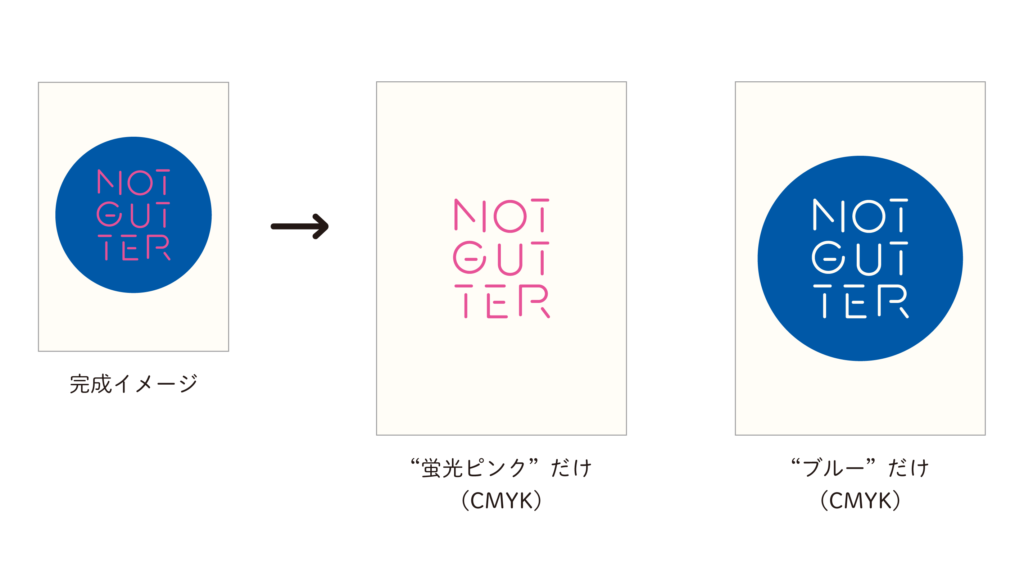
Convert each plate to black
Convert each plate to grayscale or bitmap. Grayscale works well for photos, gradients, and tonal artwork. Bitmap is better for crisp black-and-white shapes.
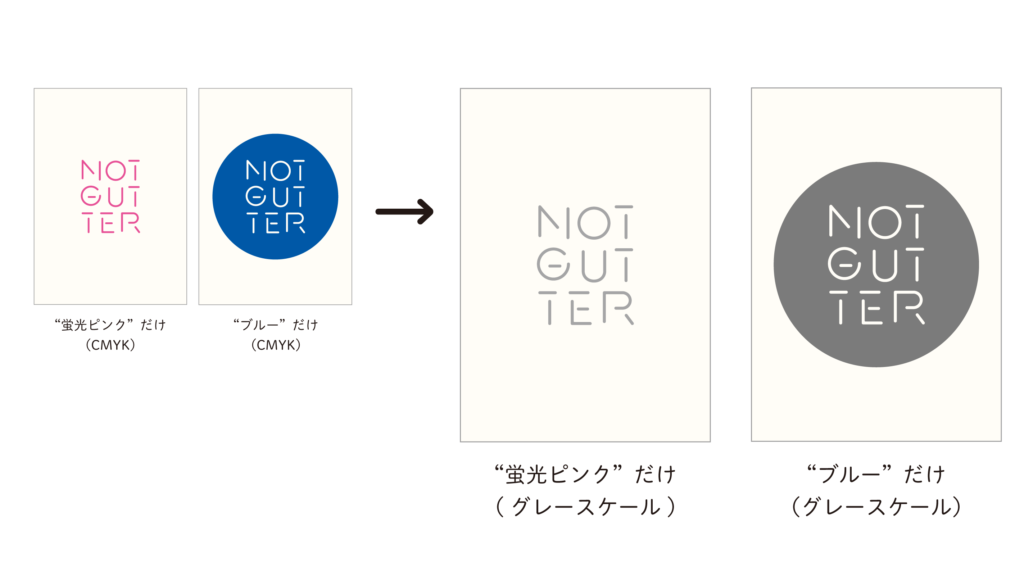
Some apps cannot restore the original colors after conversion. Keep the original color file and save a separate copy before converting.
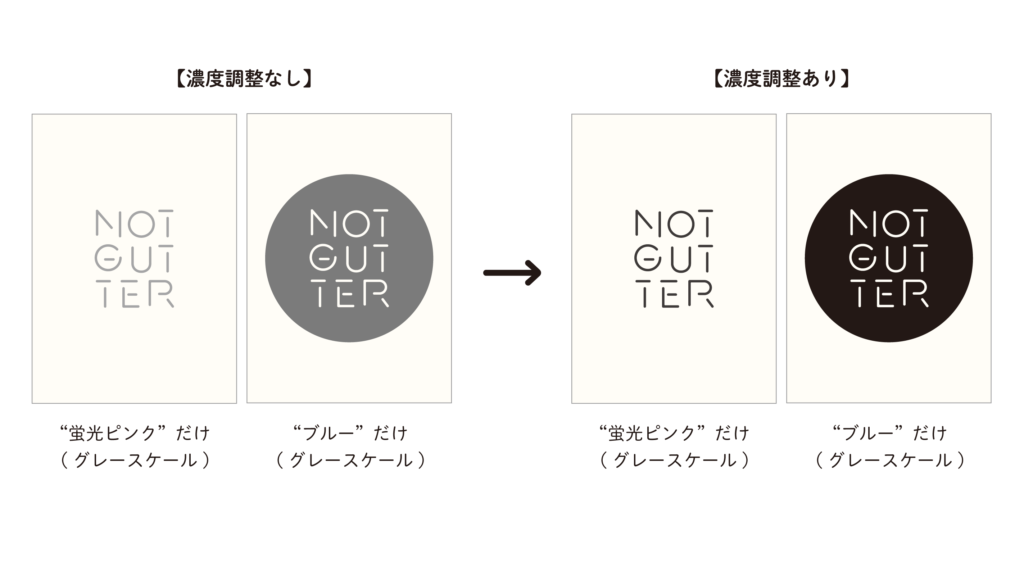
Adjust the black density
The darker the black on screen, the denser the printed ink. Bright colors such as yellow or fluorescent inks may turn into pale gray when a color image is converted automatically, so check the K value after conversion.
For large solid areas and photos, use K80-90% or lower as a starting point to help with drying and offsetting. For four-color work, or artwork with overlapping dark areas, we may ask you to reduce some plates to K70-80% or lower. The right density depends on the number of colors, printed area, print order, and paper, so adjust it with test prints.
If you use Illustrator, separate by artboard
In one .ai file, make one artboard for each ink color. Use the same size, orientation, and artwork position for every artboard, and include the ink name in each artboard name. At NOT GUTTER, we open this .ai file in Illustrator to print.
You do not need Illustrator. Bring one PDF, JPG, or PNG file per ink color. On our Windows PC, each image can be placed on matching Illustrator artboards before printing.
In either case, also bring a color preview showing the intended final result.
- Artboard 1: Fluorescent PinkPlate printed in Fluorescent Pink
- Artboard 2: BluePlate printed in Blue
- preview.jpgColor preview with the plates combined
- source.aiSource file separated by artboard
Illustrator: Outline fonts and embed linked images.
JPG / PNG: Export at actual size and 300-600 dpi.
Size and margins
Paper size and printable area are not the same. Check the details below before preparing full-bleed artwork, A3 prints, or two-color postcards.
Planning the print area
Printing precisely to the edge of the paper is not possible. Paper feed and position can also shift by a few millimeters, so keep text, QR codes, and other important elements at least 5-10 mm inside the final trim.
Non-printable margins
When paper enters the machine, the first edge needs 5 mm, the opposite edge 2 mm, and the left and right edges 3 mm each.
Full bleed at smaller sizes
For A4, B5, postcards, and other finished sizes smaller than A3, print with crop marks on larger paper and trim afterward.
Keep text and QR codes away from the edge. Registration and paper feed can shift by a few millimeters. Place important elements about 5-10 mm inside the trim line on every side. This is separate from the machine’s minimum non-printable margins.
Two-color postcards and A4
A postcard (100 x 148 mm) cannot be printed in two colors at once. You can still print one color at a time. To print two colors at once, use paper at least 100 x 246 mm and trim it afterward.
For two-color A4 printing, feed the 210 mm short edge first so the paper travels in the 297 mm direction. If the 297 mm long edge enters first, the feed length is only 210 mm, which is below the required 246 mm. One-color printing is still possible in that orientation.
Tips for cleaner registration
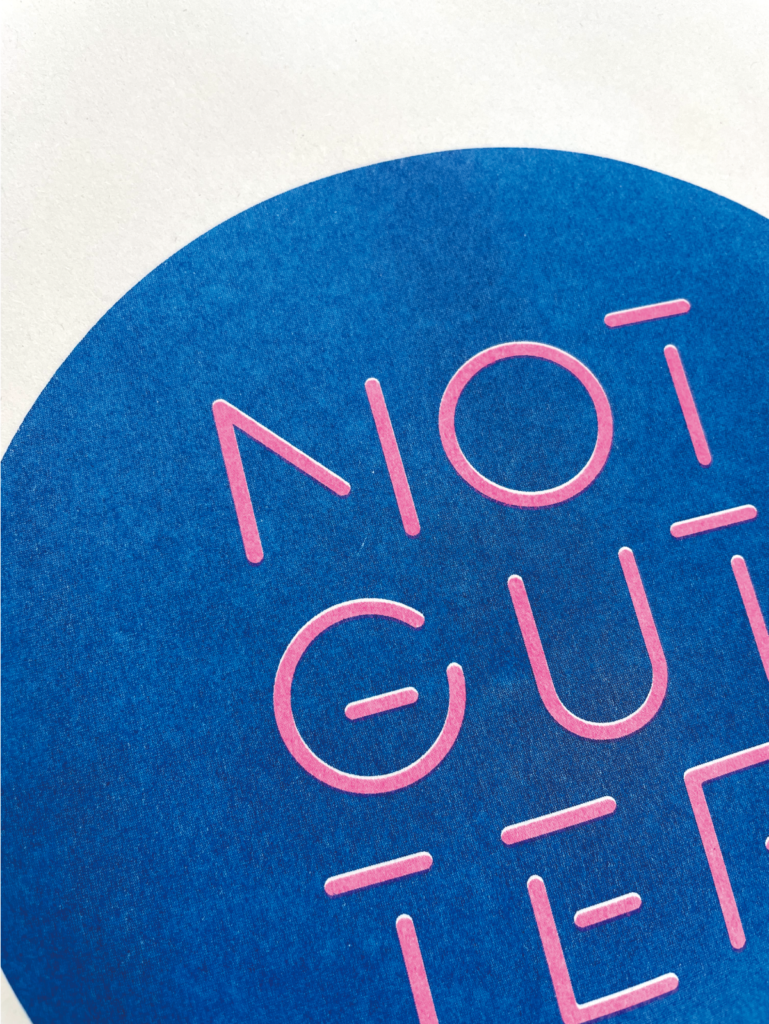
Avoid very fine knockouts
Paper can move slightly during printing. For fine lines or small text that must align across plates, add a small overlap or keep the detail in one color.
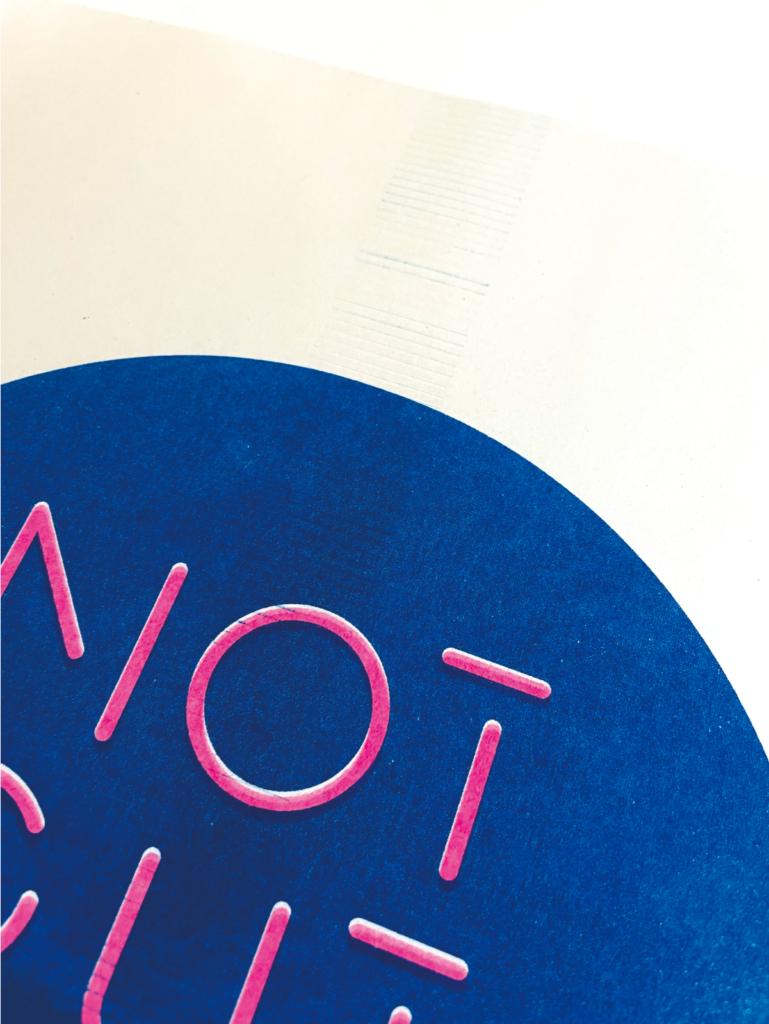
Watch large solid areas in the center
A paper-feed roller runs through the center. For multi-color work, print linework and text first, then print the plate with larger solid areas last. This reduces later passes over wet ink. Adjust density and print order with a test print.
Avoid dense solids near the leading edge
A large, dense area near the edge that enters the machine first can cause paper to wrap around the drum. Keep this area lighter when possible.
Do I need a computer?
No computer is needed for hand-drawn or paper artwork. If your artwork was made on a computer, it is a good idea to bring that computer in case the file needs editing.
On your first visit, staff will explain the process. After that, you will print using the Windows PC in the studio. Returning visitors may be able to print from their own Windows PC or Mac, but the driver must be installed in advance, so please ask us first.
Try a simple separation without Adobe apps
Our original CMYK tool separates an uploaded color image into black-only plates. The on-screen preview is only a guide; actual results vary with paper, ink, and printing conditions.
Final checklist before your visit
- One plate is prepared for each ink color
- Every plate has the same size, orientation, and position
- Each plate is black only or grayscale
- Density is adjusted for the number of colors, printed area, and print order
- Artboard or file names show the intended ink color
- A color preview is included
- Fonts are outlined
- The original file is saved separately
Questions about paper, size, or data? See our FAQ.
Your data does not need to be perfect before you book. If you are unsure, start with the Trial Plan and make a test print. You can adjust the result while looking at ink samples and test prints in the studio.
Send a booking request
